
Startup guide · Chapter 10 of 13
PF, ESI, PT & LWF files and registers
Download the monthly PF ECR and ESI files, record the challans, and print the statutory registers and contractor returns.
About 20 minutesChecked against the app 30 October 2026
On this page
Plan: Starter plan and above. Form V and client exports: Professional.
Before you start
- The month’s payroll approved.
- Your EPFO, ESIC and state PT / LWF portal logins.
- UAN for PF workers and IP number for ESI workers.
Step 1: Open PF, ESI, PT & LWF
Click PF, ESI, PT & LWF and choose the month. The files come from all approved payrolls of that month. Only the Admin and Finance see this page.
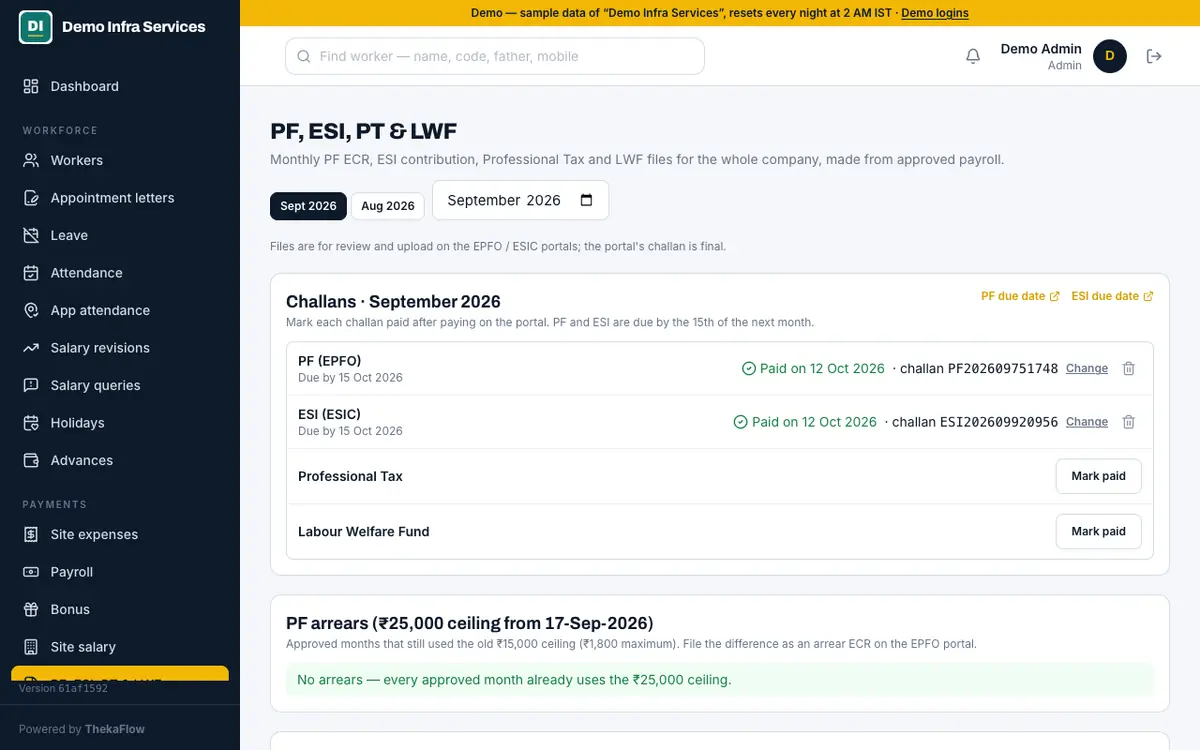
PF, ESI, PT & LWF — the challans section. Tap to enlarge. Step 2: Fix before upload
The Fix before upload box lists workers with a missing UAN or ESI IP number. Fix them on the worker page first.
Step 3: PF file (EPFO)
Click ECR text file and upload it on the EPFO employer portal. PF Excel is for checking. Pay the challan by the 15th of the next month.
PF arrears lists months that used the old ₹15,000 ceiling instead of ₹25,000 — click Arrears Excel and file the difference.
The law:Pay PF by the 15th of the next monthPF wage ceiling is ₹25,000 from 17 September 2026Pay the PF difference for months after 17 September 2026
Step 4: ESI file (ESIC)
Click ESI upload Excel and upload it on the ESIC portal. Pay by the 15th of the next month.
Step 5: Professional Tax and LWF
Click PT & LWF Excel for the state-wise summary and pay on your state’s portal.
Step 6: Record the challans
After paying, click Mark paid under Challans and fill Paid on, Challan / reference no. (TRRN for PF) and Amount. ThekaFlow shows Due by and Overdue for PF and ESI.
Step 7: Statutory registers
Click Statutory registers, choose the site and month, and click Download Excel on each register:
- Form I — employee register.
- Form IV — wages, overtime, advances and deductions.
- Form IX — attendance register cum muster roll.
- Form XIII — register of workmen (contractor).
- Form XX — leave with wages.
The law:Registers must show what really happened
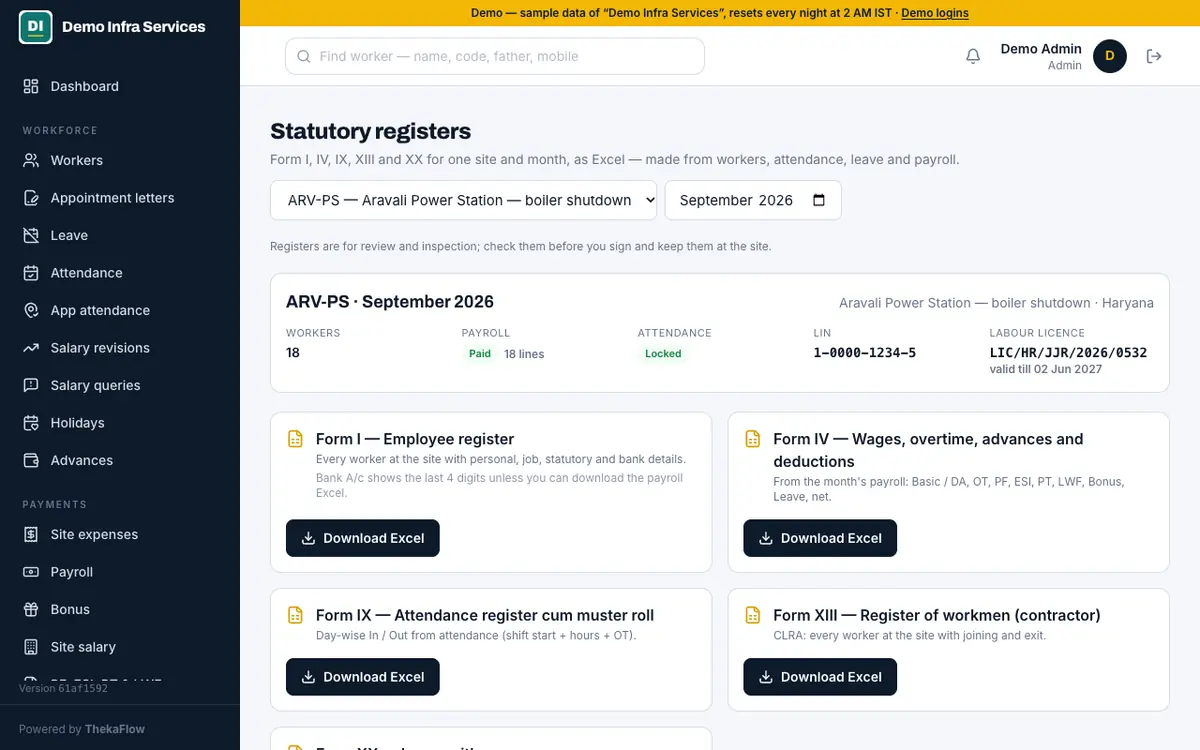
Statutory registers — one site, one month. Tap to enlarge. Step 8: Check, sign and keep at the site
Check each register, sign it and keep it at the site for inspection. A Missing Form I details card lists workers whose details are not complete.
Step 9: Contractor returns: Form XVIII and XVII
At the bottom of PF, ESI, PT & LWF, pick the period and download Form XVIII Excel (half-yearly) or Form XVII Excel (annual). File it on the Shram Suvidha portal, then click Mark filed with the date and acknowledgement number.
The law:File the half-yearly return (Form XVIII)File the annual return (Form XVII)
Step 10: Form V and the wage annexure for your client
Plan: Professional plan and above.
Client slips (Form V): choose the Site and the client’s Form B & D PDF → Upload & read, check the slip header, Save & mark ready and Print all slips.
Client exports: download the Annexure for wage payment with the UTRs as payment proof for the principal employer.
Tips and common mistakes
- These files are for checking and uploading. The challan from the government portal is final — record it in ThekaFlow.
- PT and LWF due dates differ by state; ThekaFlow tracks due dates only for PF and ESI.
- Registers are Excel. Print them on A4 landscape.
- Read Registers, returns and due dates in the rule book.
हिंदी में
- PF, ESI, PT & LWF खोलें, महीना चुनें।
- ECR text file EPFO पोर्टल पर और ESI Excel ESIC पोर्टल पर अपलोड करें।
- चालान हर महीने की 15 तारीख़ तक भरें, फिर यहाँ Mark paid करें।
- Statutory registers से Form I, IV, IX, XIII, XX की Excel निकालें, साइन करके साइट पर रखें।
- छमाही Form XVIII और सालाना Form XVII Shram Suvidha पर भरें।
Read next