
Startup guide · Chapter 11 of 13
Stay compliant
Use the Law compliance page to find and fix gaps, and keep licences and policies in the document vault with expiry alerts.
About 10 minutesChecked against the app 30 October 2026
On this page
Before you start
- Copies (PDF or photo) of your labour licence, WC / EC policy, PF, ESI, GST, PT, LWF and shops registrations, and work orders, with their expiry dates.
Step 1: Watch the dashboard card
The Dashboard has a Law compliance card with a score. Green: all checks pass. Amber or red: there are gaps — click it.
Step 2: Open Law compliance
Click Law compliance. The top shows “You follow X of Y checks” and the gaps by priority (High, Medium, Low). Gaps are grouped by topic: wages, hours, leave, PF, ESI, bonus, contract labour, registers, GST, privacy. Click Check again after you fix something.
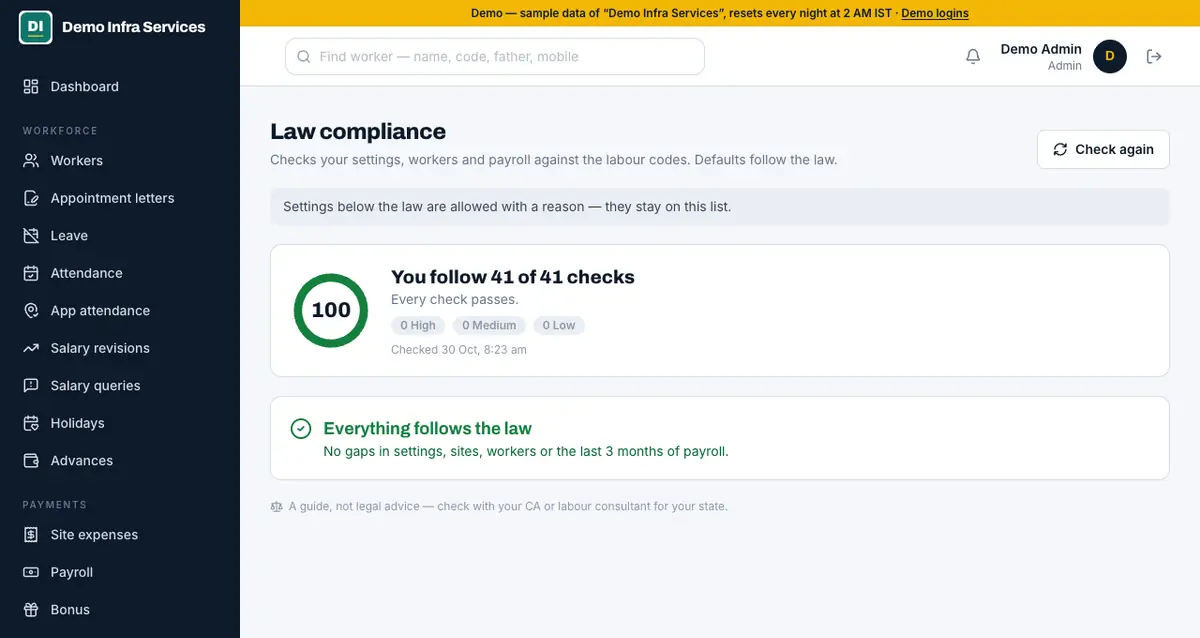
Law compliance — the demo company passes every check. Tap to enlarge. Step 3: What a gap is
A gap is a setting, worker or payroll that does not follow the law — for example a site without a state, a worker without a date of birth, or a PF challan not marked paid. Each row shows the priority, what is wrong, The law (Act and section) and buttons.
Step 4: Fix it
- Fix (apply the legal default) — one click; ThekaFlow tells you what it will change and asks you to confirm.
- Open > — takes you to the exact page (the worker, site or setting) to fix it yourself.
- Rule book — explains the rule in plain words.
Step 5: A reason instead of a fix
Sometimes you choose to stay below the default (for example a client’s 12-hour shift). When you save, ThekaFlow asks for a Reason and you click Save anyway. The gap then shows “Acknowledged: reason — by, date”. It stays on the list until fixed, so an inspector or your CA can see it.
A child below 14 can never be overridden.
The law:Never employ a child below 14
Step 6: Add compliance documents
Click Compliance documents → + Add document and fill:
- Type — Labour licence (CLRA Form VI), Workmen’s compensation / EC policy, PF / ESI / GST / PT / LWF / Shops registration, Work order / contract, Other insurance, Other.
- Document / licence no., and for a licence the Max workers in the licence.
- Applies to — company-wide or one site; Issued on; Valid till (blank = no expiry).
- The File (PDF or photo, up to 10 MB) and a Note. Click Save.
The law:Get a contract labour licence at 50 workersStay within the licence headcount
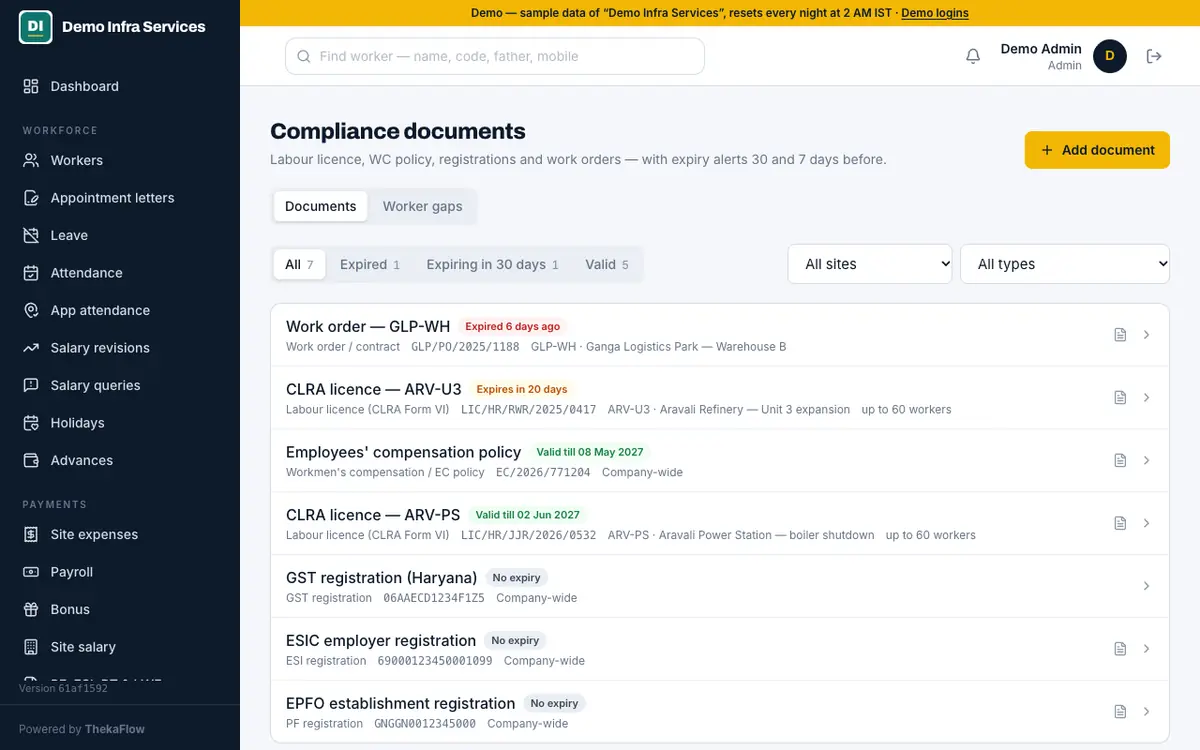
Compliance documents — expired ones are red, expiring ones amber. Tap to enlarge. Step 7: Expiry alerts and renewal
ThekaFlow alerts the Admin (and supervisors for their sites) 30 days and 7 days before expiry, and on the day — in the app and as a phone notification.
When renewed, open the document → Renew → new dates and the new copy → Save new version. The old one moves to Earlier versions.
Step 8: Worker gaps
The Worker gaps tab lists workers with missing details: PF but no UAN, ESI but no IP number, no bank, bank name not checked, no Aadhaar, no consent, no photo, medical expired, police verification not done.
Tips and common mistakes
- Look at Law compliance once a week and after every payroll.
- A reason is not a fix. Use it only when you have a good, written cause.
- Read the full rule book — every gap links to its section.
हिंदी में
- डैशबोर्ड पर Law compliance कार्ड देखें — हरा मतलब सब ठीक।
- Law compliance पेज पर हर कमी (gap) और उसका क़ानून दिखता है।
- Fix बटन से एक क्लिक में सही सेटिंग लग जाती है।
- क़ानून से कम रखना हो तो कारण लिखें — वह सूची में बना रहेगा।
- Compliance documents में लाइसेंस और पॉलिसी अपलोड करें — खत्म होने से पहले याद दिलाया जाएगा।
Read next