
Startup guide · Chapter 8 of 13
Payroll and advances
Give and recover advances, prepare and approve the monthly payroll, release salary slips, and settle full & final and bonus.
About 20 minutesChecked against the app 30 October 2026
On this page
Plan: Starter plan and above.
Before you start
- The month’s attendance locked for each site.
- A monthly salary on every worker.
- The month must be over before payroll can be approved.
Step 1: Advances
Workers ask in the app, or you click Advances → New advance (Worker, Amount, Reason). Advance list (many workers) gives one amount to many workers at once.
The supervisor clicks Approve (and can lower the amount). The Admin clicks Approve & lock. Locked advances are paid by bank file (see Bank payment) and deducted from that month’s salary.
Step 2: Prepare the payroll
Click Payroll, choose the month and click Prepare on the site. Salary = present days × (monthly salary ÷ 26 or 28) + OT − PF − ESI − PT − LWF − advance.
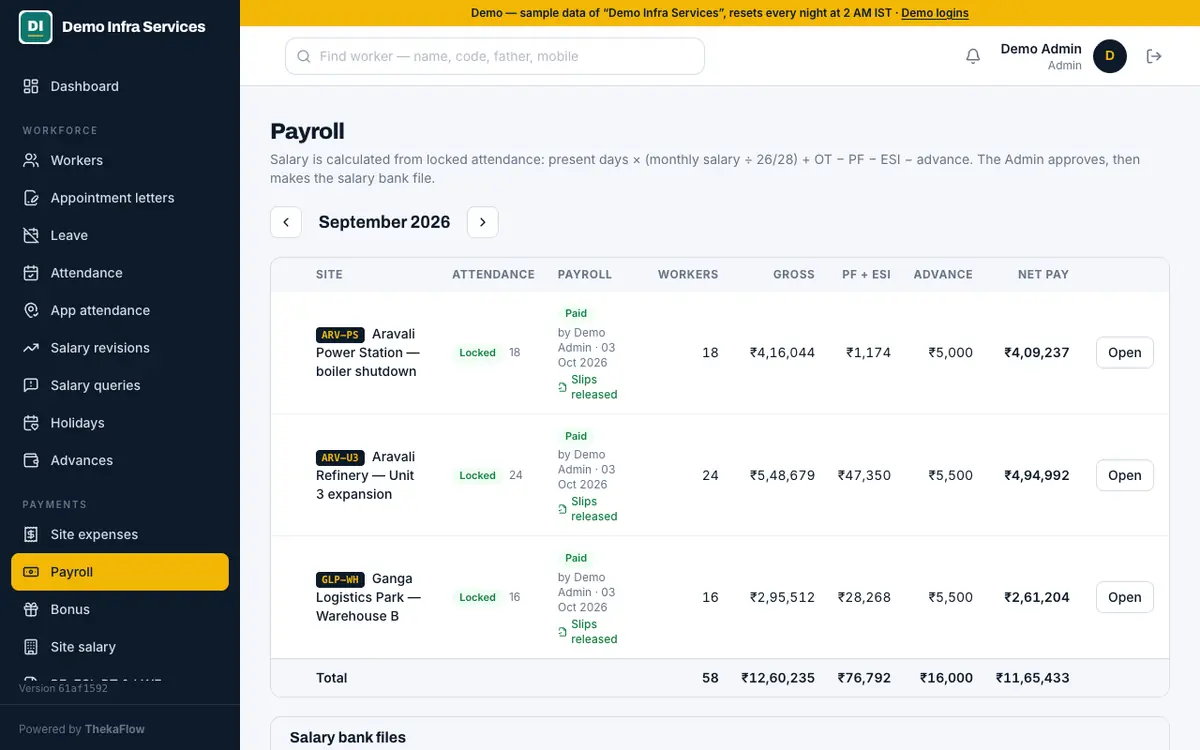
Payroll — one row per site for the month. Tap to enlarge. Step 3: Check the payroll
Click Open. The top shows workers, gross, PF / ESI / PT / LWF, advances and net pay. Use Needs attention, No bank and Edited to find problems. An amber triangle on a line is a law warning.
Click a worker to adjust: Others (+ / −), Other deduction, Fine (the law allows at most 3%), or the advance to recover this month. Every change needs a Reason.
Changed attendance, salary or settings? Click Recalculate.
The law:Pay at least the minimum wageFines: only from a notice, and at most 3%Keep total deductions within 50% of wagesBasic + DA must be at least half of the pay
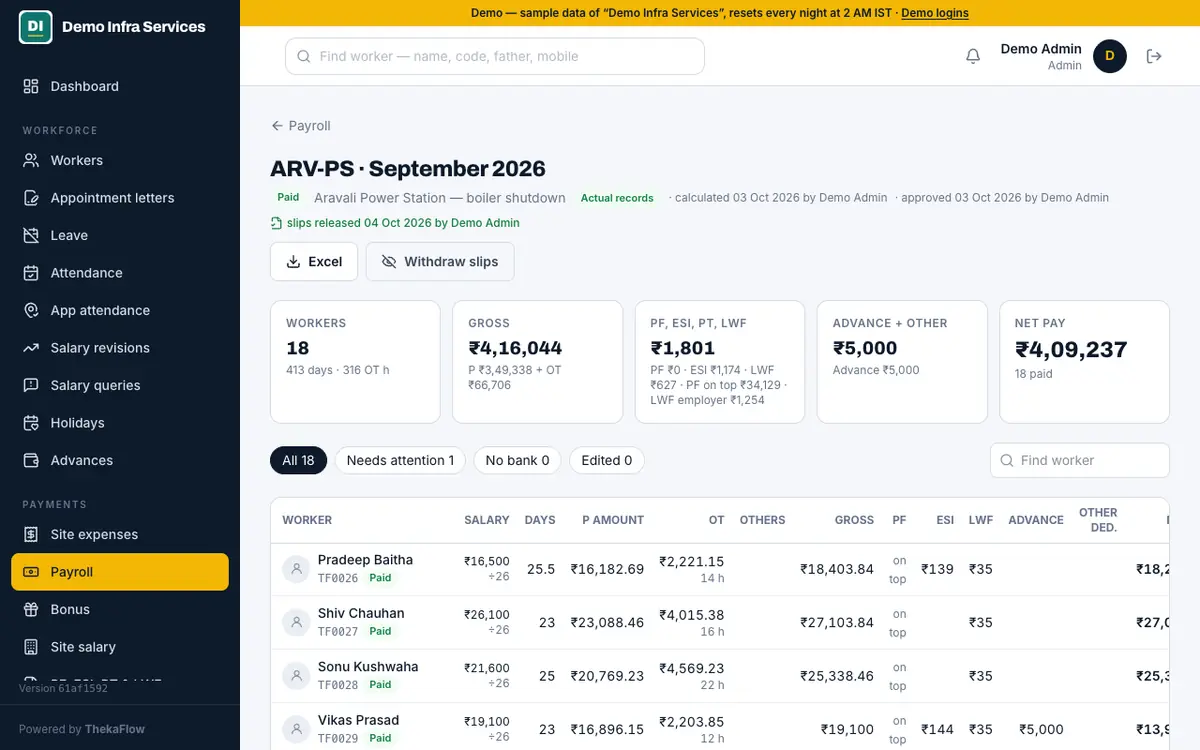
A payroll run. Click a worker to see or adjust the line. Tap to enlarge. Step 4: Approve
Click Approve. If something is below the law, ThekaFlow shows it and asks for a reason. Approved payroll goes to the bank file.
Monthly wages must be paid by the 7th of the next month — even if the client has not paid you yet.
The law:Pay wages on time
Step 5: Salary slips
Click a worker → View salary slip → Print / Save PDF. The slip is in English with Hindi labels.
Click Release slips so workers see their slips in the app. Withdraw slips hides them again.
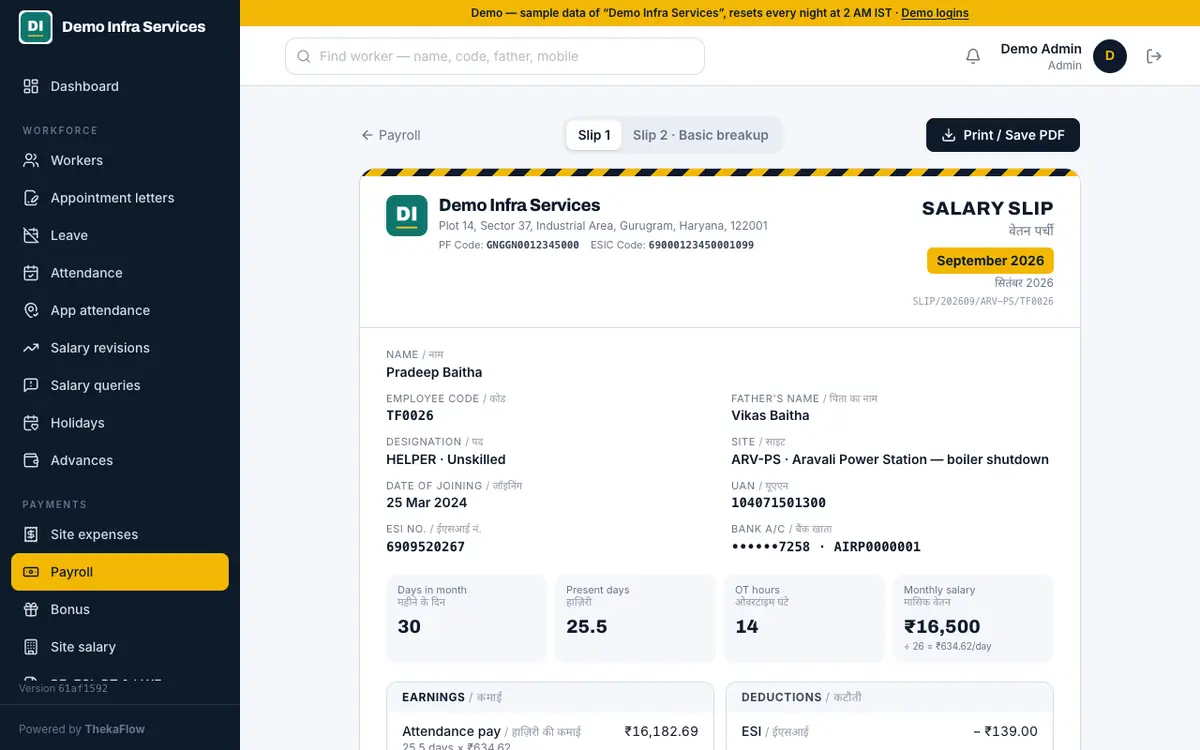
A salary slip. Slip 2 (Basic breakup) is for the Admin only. Tap to enlarge. Step 6: Pay the salary
Tick the approved sites on the Payroll page and click Salary bank file. See Paying wages by bank.
Step 7: Full & final when a worker leaves
After Exit worker, open the worker and click Full & final. Tick Bonus, Leave encashment and Gratuity where due, add other earnings and deductions (advance), then the Settlement date, Paid by and Reference. Click Settle full & final and Print / Save PDF.
Final dues are due within 2 working days of exit. Gratuity is due after 5 years of service — or after 1 year for a fixed-term worker.
The law:Gratuity: 15 days’ wages for every yearPay wages on time
Step 8: Annual bonus
Click Bonus, choose the financial year and the Bonus rate (%) (at least 8.33%, at most 20%). Click Calculate → Approve → pay → Mark paid. Bonus register downloads the Excel.
Bonus must be paid within 8 months after the year ends.
The law:Bonus: at least 8.33%, at most 20%Pay the year’s bonus within 8 months
Tips and common mistakes
- “Lock this month’s attendance first” means: Attendance → Verify → Lock.
- A worker with “No bank” cannot be in the bank file — add the bank details and recalculate.
- To change an approved payroll click Reopen and give a reason.
- Change a worker’s salary with Revise salary on the worker page, not in the payroll.
हिंदी में
- एडवांस: सुपरवाइज़र Approve करे, फिर Admin Approve & lock करे।
- Payroll → महीना चुनें → साइट पर Prepare दबाएँ।
- Open करके जाँचें — पीला तिकोना यानी क़ानून की चेतावनी।
- Approve दबाएँ (हाज़िरी Lock होनी चाहिए), फिर Release slips।
- मज़दूर छोड़े तो उसके पेज पर Full & final से हिसाब करें।
Read next